One app for employees and HR admins.
escoHR brings the day-to-day essentials together in one place, from attendance and schedules to time off, tasks, HR support, team communication, company updates, and approved workplace resources.
Start with your existing workspace
Use the same Escochex Payroll access your organization already manages. No separate escoHR account or setup is required.
Stay informed
See company announcements, important updates, and approved workplace resources in the same app you already use for the workday.
Your workday, all in one place.
Your shift, your time, your requests, your tasks, company updates, approved resources, and a private line to HR, without jumping between systems.
Your team, all in one view.
Exceptions, approvals, schedules, employee requests, company updates, and the activity that needs attention.
Every punch, with the details that matter.
Track time with clear records for clock-ins, breaks, locations, timesheets, and correction requests, all in one place.
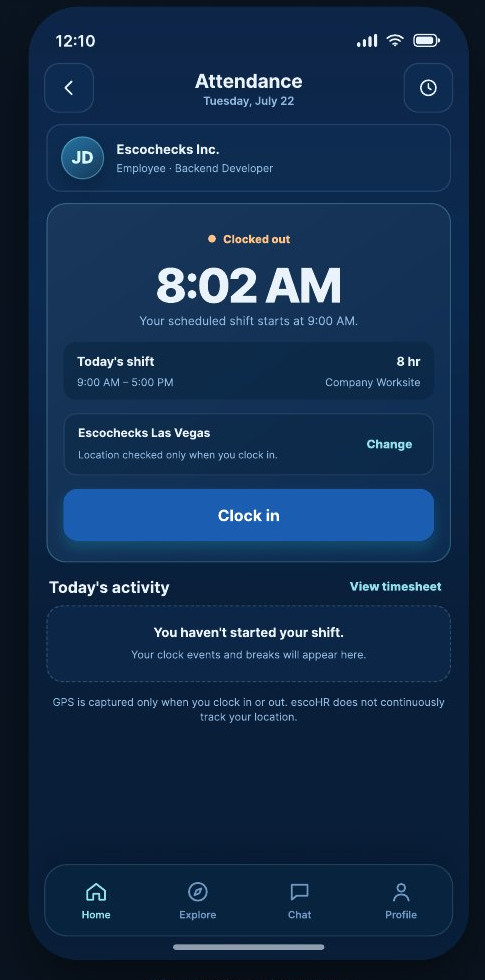
Ready when your shift starts
See your shift and work location before you clock in.
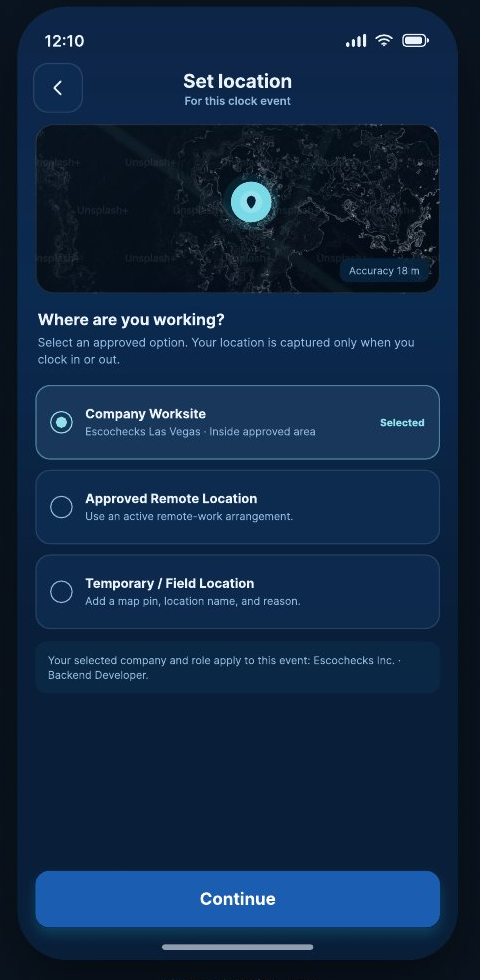
Location, when it matters
Confirm your worksite, approved remote location, or temporary field location when you clock in.
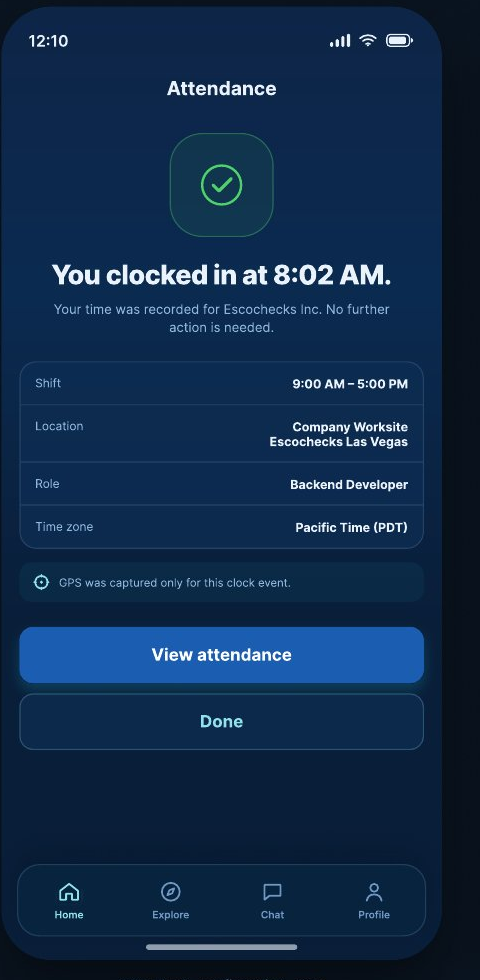
Every clock-in, clearly recorded
Keep the time, shift, location, role, and time zone visible in one place.
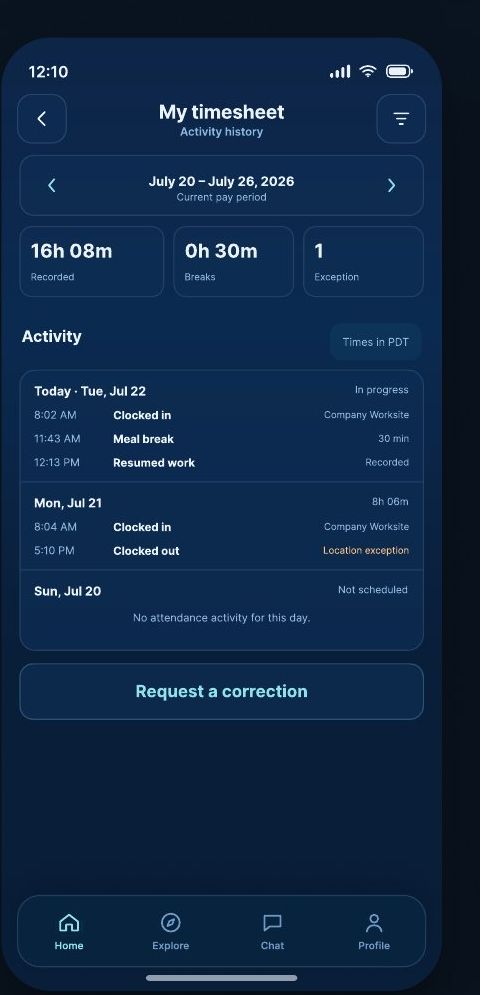
Correct time records quickly
Check your recorded time and request a correction when something looks off.
Plan your week. Stay in the loop.
Employees can view shifts, request trades, check leave balances, and submit time-off requests. HR admins can review coverage, manage schedule changes, and approve requests from one place.
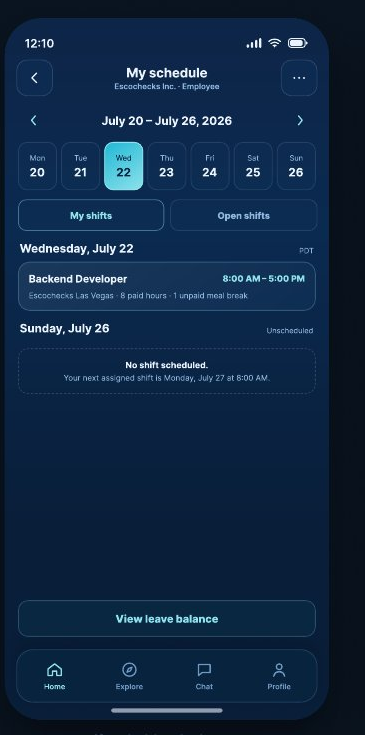
My schedule
See your weekly schedule, shift status, and details at a glance.
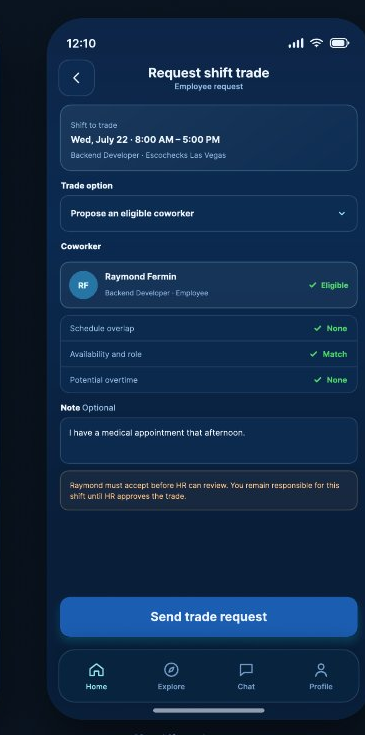
Shift trades
Request a trade and check eligibility or conflicts before it goes to review.
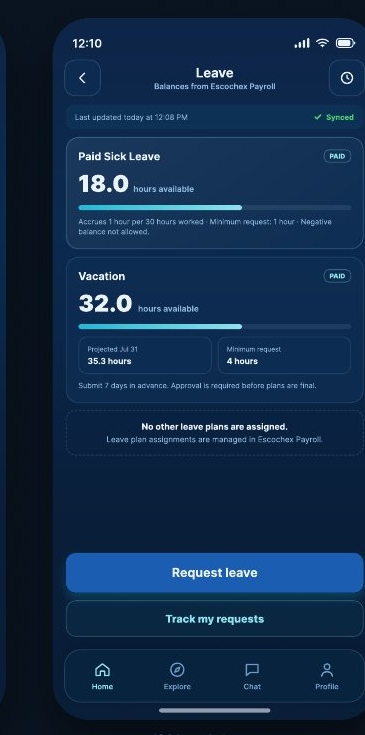
Leave balance
See available leave and balances before submitting a request.
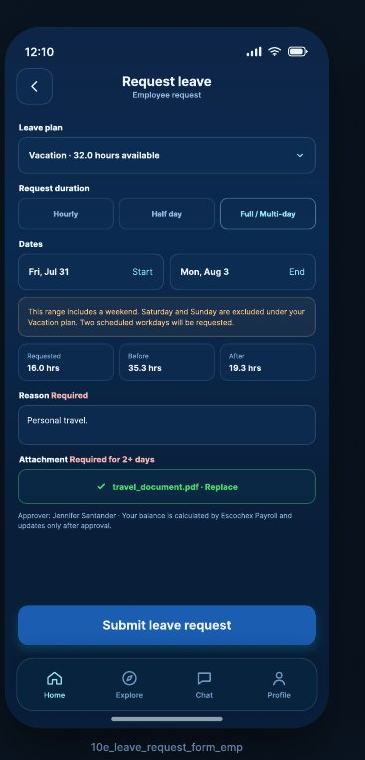
Request time off
Add dates, duration, reason, and any supporting documents in one place.
Your team doesn’t have to share a first language to work well together.
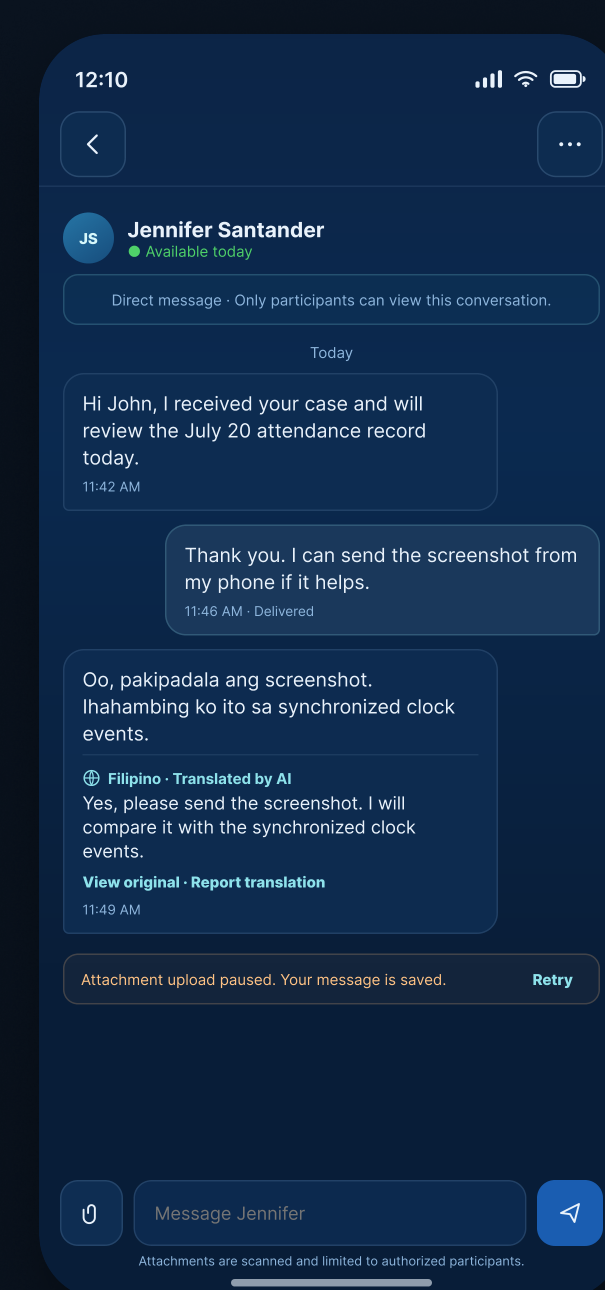
escoHR helps employees, coworkers, and HR communicate across languages while keeping conversations moving. Write naturally in your own language, then translate received messages into the language you understand best.
- Chat directly with coworkers and the HR admins your company authorizes.
- Translate messages while keeping the original message available.
- Communicate more clearly across multilingual teams.
- Keep work questions, updates, and conversations in one place.
Keep tasks clear. Keep HR requests private.
escoHR keeps assigned tasks, personal to-dos, and private HR requests organized in their own spaces, so it’s always clear what’s visible, what’s private, and what needs follow-up.
Assigned work
Keep priorities, due dates, and progress together in one place.
Task details
Keep checklists, files, and updates connected to each task.
Private HR requests
Choose the right category and send your request to an HR admin your company authorizes.
Case history
Keep submissions, responses, and resolutions easy to follow from start to finish.
The right answer, where people actually look for it.
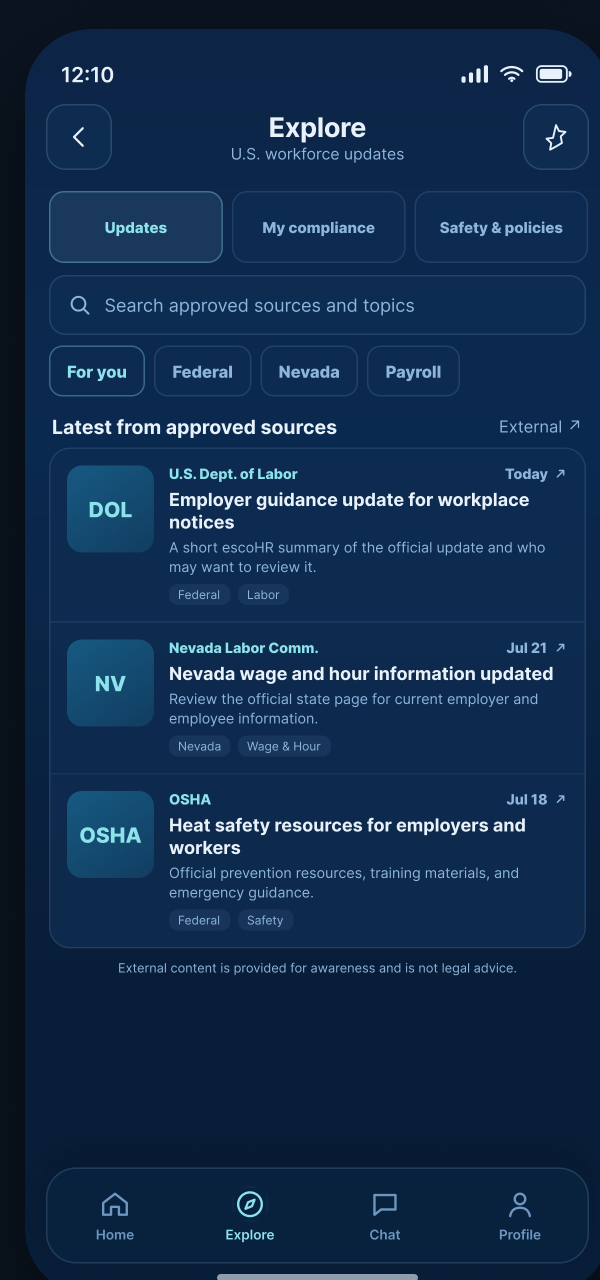
Employees can pull up HR, safety, and compliance resources their employer has approved, right from the app. No shared drive and no asking around.
- Surface approved workplace guidance in one place.
- Keep company announcements and important updates easy to find.
- Link employees to official sources when more detail is needed.
Your access stays in sync.
escoHR uses the account, role, and company access already managed in Escochex Payroll, so there’s no separate setup to maintain.
For product or account questions, contact customercare@escochex.com or call (818) 436-4688.